What Your Smart Home Should Do in the First 60 Seconds of an Earthquake
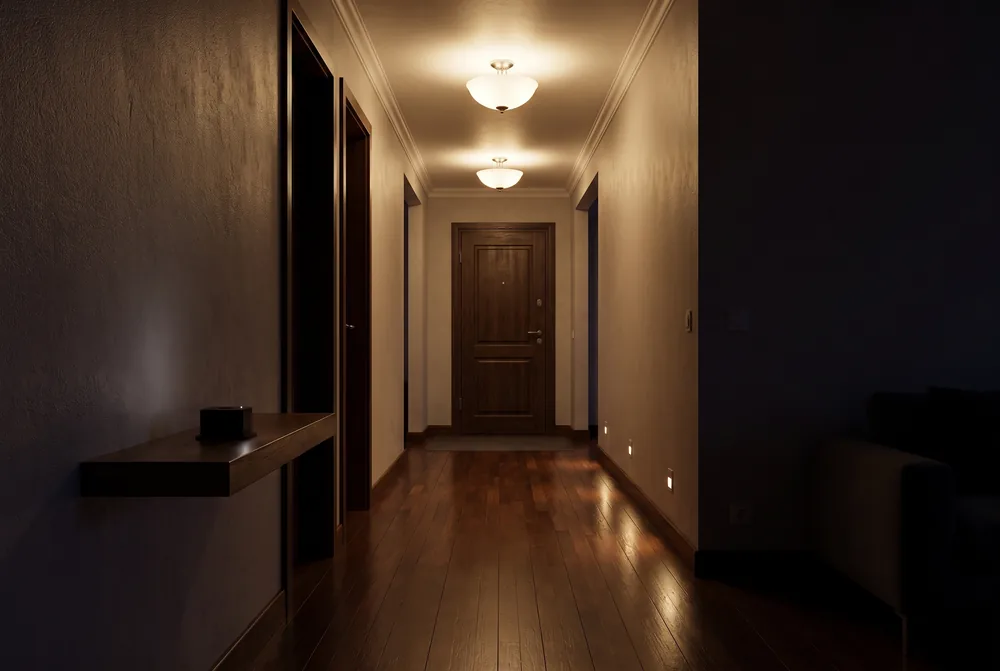
A GeoShake T1 appears in Smart Life and Tuya Smart as an ordinary device, so the same automation
editor you would use for a motion sensor can light your exit route, wake the house, unlock a door,
cut power to a heater and start a camera recording — with no hub and no code. The sensor reports
two separate states, and choosing between them is the whole game:
Shock State is the network signal, which fires only when at least three GeoShake
stations agree, and Lock Shock is one sensor deciding on its own that it moved.
Safety automations belong on the network signal. And there is one trap that costs people the whole
setup: the Shock State list also offers drop and tilt, which GeoShake
never sets — an automation built on either of those saves cleanly, shows as enabled, and never
runs. The only value that fires is vibration. None of this replaces official warnings
or the GeoShake app notification; it is the layer that acts while you are still sitting up in bed.
Distance rule: the sensor only reacts to confirmed earthquakes within about 300 km
of it.
The alert arrives. Then what?
A notification is the weakest possible form of a warning, because it needs a person to read it. At three in the morning the phone is face-down on a charger in the other room. During the day it is in a bag, or in the hand that is currently holding a child. A house that has already done four useful things by the time you sit up is a completely different proposition — and if you own a GeoShake T1, you can build that in an afternoon with smart plugs you probably already have.
Before any of it, the boundary. This is not a life-safety system. Your primary warning should always be an official channel — AFAD and Kandilli in Türkiye, USGS ShakeAlert on the US West Coast, JMA in Japan — plus the notification from the GeoShake app itself. Home automation is the layer that acts while you are still deciding. It is not the layer that tells you what happened, and it should never be the only thing standing between your family and a bad night.
What the first 60 seconds are actually for
It helps to be specific about what a minute of earthquake is like, because the useful automations fall out of it almost automatically.
Seconds 0–10 are the shaking. Nothing your house does in this window matters more than drop, cover and hold on. There is exactly one thing a smart home can contribute here, and it is not small: make the room visible, and wake anyone who is asleep. People are hurt by furniture and glass they could not see, and by moving when they should have stayed put.
Seconds 10–30 are the decisions. Usually the shaking has stopped. Now you are asking questions in the dark: is anyone hurt, is the exit clear, did something fall on the stove, can I open the front door.
Seconds 30–60 are the movement. You go and check on people. If you are going to leave, this is when. What you want is a lit route, a door that opens, and nothing hot left running behind you.
Every automation below is simply one of those things, done in advance, by a house that does not need to think about it. That is the entire argument for automating any of this: not that a plug is smarter than you are, but that it is not busy.
One caveat that shapes the whole plan: strong shaking often takes the power with it. An automation that depends on mains electricity may fire into a dark house that has just gone dead. Battery-backed emergency lights, a torch by the bed and a phone with charge are still the floor you build on — the smart bulbs are what sits on top.
Two signals, and the one that makes people give up
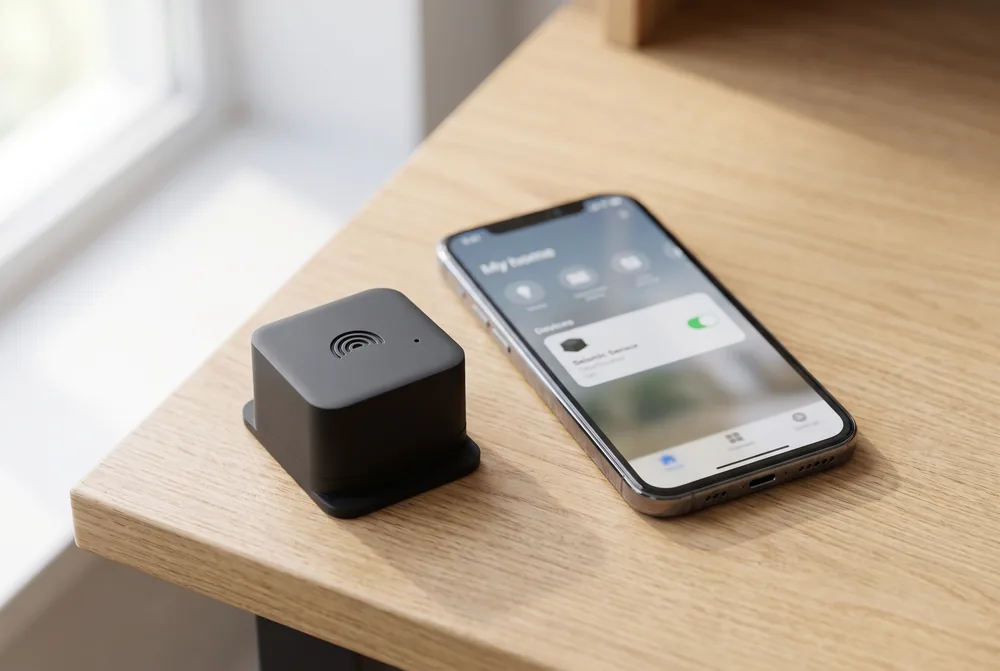
Once your T1 is connected, it turns up in Smart Life (or Tuya Smart — same platform, same account system) reporting two separate states. They look similar in the trigger list and they answer completely different questions. Getting this wrong is the single most common way these setups end up switched off after a week, so it is worth thirty seconds now.
Shock State — the network signal |
Lock Shock — the local signal |
|
|---|---|---|
| Answers | "Was there a real earthquake?" | "Did this sensor just move?" |
| Who decides | The GeoShake network — at least three separate stations have to agree, and the arrival times have to be consistent with a single source | This one device, on its own, with nothing to cross-check against |
| Distance | Only within about 300 km of your sensor. Farther earthquakes are never sent, however strong | Not applicable — this device only |
| Values | normal → vibration → normal.The list also offers drop and tilt — GeoShake never sets them |
normal → shaking → normal |
| How long | Stays in alert for two minutes, then clears itself | A short pulse, then a cool-down before it can fire again |
| False alarms | Very rare — one station alone can never trigger it | Expected. A slammed door, a passing truck or someone bumping the shelf will do it |
| Default | On | Off — you switch it on and pick one of three sensitivity levels |
| Build on it | Yes — safety automations belong here. Lights, locks, sirens, cutting power | Only for "something happened in this room" reactions. Never for anything that must not fire by mistake |
The short version: if the automation would embarrass you or wake the house when it goes off for nothing, put it on the network signal. The local one is a genuine extra — it is faster, because it does not wait for anybody to agree — but it cannot tell an earthquake from a delivery van hitting the kerb outside.
One thing to know about the network signal
The Smart Life path has a distance filter. It reacts when the GeoShake network
confirms an earthquake within about 300 km of your sensor — not to events on the other side of
the world. A confirmed earthquake outside that radius leaves your sensor at normal.
The radius is wide rather than tight, because a filter that is too tight fails in the worst way available: silence during a real earthquake. So 300 km — the default today — still takes in plenty of earthquakes you will not feel, and a confirmed event still needs three GeoShake stations close enough to agree. Let that shape what you build: it argues for the automations that undo themselves, and against wiring anything irreversible to this trigger.
The trap: drop and tilt
This is the part worth reading twice, because it fails silently.
When you build an automation and pick Shock State as the trigger, Smart Life will
offer you four values: normal, vibration, drop and
tilt. All four exist because they belong to the standard definition of that data
point, and the app faithfully shows you everything the definition allows.
GeoShake only ever sets two of them. A confirmed network event writes
vibration; two minutes later it writes normal. Nothing in the system ever
writes drop, and nothing ever writes tilt. Those two are inert.
So an automation built on drop or tilt is not broken in any way you would
notice. It saves without complaint. It appears in your automation list. Its toggle is green and
says Enabled. It simply never runs — and you find out during an earthquake, which is the worst
possible time to discover that your hallway lights were never wired to anything.
For the network alert, the only value that fires is vibration. On the
local signal, the only value that fires is shaking.
Test it, do not trust the toggle. After you save an
automation, send a test alert from the GeoShake app or from
my.geoshake.org/devices.
A test writes exactly what a real event writes — Shock State goes to
vibration and returns to normal two minutes later — so it is a
genuine end-to-end check of the automation, and two minutes is long enough to walk through the
house and see what actually happened. An automation you have watched run once is worth ten
that merely saved successfully.
Five automations worth building
Each of these is one automation in the Smart Life app: Smart tab →
Automation → +, then When device status changes → your
GeoShake sensor → Shock State → vibration, and one or more tasks
under Then. You can put all five tasks in a single automation, which is what most people
end up doing. They are listed separately here because the reasoning behind each one is different.
1. Light the way out
Signal: network. Hallway, stairs and entrance lights to on, brightness 100%.
Build this one first. It is the highest value per minute of setup and the lowest risk in the whole list — the worst thing a false trigger can do is turn your lights on for two minutes. It addresses the specific problem of the first minute, which is that you are trying to make decisions about stairs and doorways in a room you cannot see, possibly with broken glass on the floor. A lit exit route is worth more than a phone in your pocket, and unlike the phone it works for everyone in the house at once.
2. Wake the house
Signal: network. A siren or buzzer on a smart plug, or an announcement through a smart speaker.
A phone alert reaches the person holding a phone. This reaches everyone else — the child in the back bedroom, the grandparent who takes their hearing aid out at night, the guest who does not have the app. Put the noisemaker where the sleepers are rather than where you are; the person already awake is not the one who needs it. This is also the automation with the strongest reason to stay on the network signal: something that wakes the whole house at 3 a.m. for a passing truck will be unplugged within a week, and then it is not there for the night it matters.
3. Unlock the door
Signal: network. A smart lock, or a garage door.
This is the one where the risk trade-off is genuinely yours, and we are not going to make it for you. The case for it is real: a door frame that has moved even slightly can jam a door shut, and being unable to open your own front door is a documented way people end up trapped in a building they could have walked out of. The case against it is just as real: an automatically unlocked front door is an unlocked front door, and — as covered above — the trigger fires for any confirmed earthquake within about 300 km of your sensor, felt or not, so it will unlock it for those too.
If you want the benefit with less of the exposure, a few people split the difference: apply it to
an internal door or a garage rather than the street entrance, or pair it with a second automation
that re-locks when the state returns to normal. And if you look at that trade and
decide no, that is a perfectly good answer. Not building this one costs you nothing else on the
list.
4. Cut power to the things that burn
Signal: network. Smart plugs off for the heater, the iron, the water pump.
Fire is a recognised secondary hazard after an earthquake, and official preparedness guidance routinely tells people to check for fire risks and shut off utilities once the shaking stops. A smart plug does the easy half of that before you get there — the space heater that fell over, the iron left face-down, the pump that will now run dry.
Be careful what goes on the off-list. Not the fridge, not medical equipment, and above all not your router and not the plug powering the T1 itself. Cutting your own internet is a memorable way to discover that the alert path runs through it. Keep the list to things that make heat and nothing else.
5. Start recording
Signal: network. Cameras begin recording.
Useful in the minute, and useful afterwards. In the minute, it lets you look at a room without walking through the house to reach it — the nursery, the stairs, the flat where an elderly relative lives. Afterwards, it is the only automation on this list that leaves you something you can review: what actually moved, what fell, whether the shelf you have been meaning to strap to the wall is still where you left it.
You do not need a second automation to reset the sensor.
The network signal returns to normal on its own two minutes after the last event.
But your lights and plugs stay wherever the automation left them — so if you want the
hallway to go dark again, or the heater to come back on, add a second automation triggered by
the same status returning to normal.
What the local signal is for — and what it isn't
Lock Shock is the sensor's own opinion: this device felt something move. It arrives
off by default, and turning it on gives you three sensitivity levels rather than a number in
m/s², because a raw threshold means nothing without knowing the room. The level you pick is applied
against that particular sensor's own recent noise, so "medium" is meant to feel the same
on a quiet concrete floor and on a springy wooden one, where the background vibration can differ by
more than an order of magnitude.
Even so, it will fire for things that are not earthquakes, and that is by design rather than a bug to be fixed. Here is the scale of it: over seven days, one sensor in the GeoShake fleet produced several thousand local triggers — roughly one every three minutes — and not a single one of them was confirmed as an earthquake by the network. That sensor was working perfectly. It was in a busy room.
That number is the entire argument for keeping the two signals in separate fields. Wire your siren to the local signal and the sequence is predictable: you get woken up by a delivery van on a Tuesday, you lower the sensitivity, it happens again on Thursday, and by the weekend the whole integration is switched off — including the network alert, which was never the problem. One bad week costs you the good automation too.
So: never a siren, never a lock, never anything that must not fire by mistake. What it is good for is the honest set of "something happened in this room" reactions — a lamp that comes on, a camera clip, a log entry you can look at later, a nudge that the washing machine is walking across the floor again. It also has one real advantage: it is faster, because it does not wait for anybody else to agree.
Connecting your sensor
Connecting takes about a minute and needs no hub and no bridge — the sensor reaches the Smart Life platform cloud-to-cloud through GeoShake. You need an online T1 and a free Smart Life or Tuya Smart account; either app works, since they share the same platform.
From the phone: open the GeoShake app → the My Station tab → tap your sensor → ⋯ at the top right → Integrations → Smart Life / Tuya Smart → Connect to Smart Life. The app hands you over to Smart Life to finish adding the sensor; there is nothing to scan.
From a computer: open my.geoshake.org/devices, find your sensor and press Connect to Smart Life. A pairing code appears; in the Smart Life app tap + → Add Device → the scan icon at the top right, and scan it. Use this route if you are at a desk — a phone cannot scan a code displayed on itself.
Two things to expect. The sensor may look offline in Smart Life until it has reported for the first time, which makes a working setup look broken — a test alert wakes it up. And the integration is still rolling out with a limited number of connection slots, so one may not be free the moment you ask; if they are all in use, the app takes your e-mail address and tells you when one opens. Connect the sensor first and see where you land before you design five automations around it.
The full step-by-step, including Home Assistant and Google Home, lives on the smart home integrations page. One reassurance worth stating plainly: in Smart Life the sensor is read-only. GeoShake reports states to it, and nothing in the app can send a command back to your device.
Frequently asked questions
Do I need a hub or a bridge?
No. The T1 reaches the Smart Life and Tuya Smart platform cloud-to-cloud through GeoShake, so nothing extra sits in your house. You need an online sensor and a free Smart Life or Tuya Smart account — either app works, they share the same platform.
Which value should my automation trigger on?
vibration on the network signal (Shock State), and
shaking on the local one (Lock Shock). The Shock State list
also offers drop and tilt because they belong to the underlying
data-point definition, but GeoShake never sets them — an automation built on either will
save, look enabled and never run.
Will it fire for an earthquake far away from me?
Only if it is within about 300 km of your sensor. The Smart Life path reacts when the GeoShake network confirms an earthquake inside that radius — not to events on the other side of the world. That radius still takes in earthquakes you may not feel, so prefer automations that undo themselves.
Do I need a second automation to switch everything off?
Not for the sensor — it returns to normal on its own two minutes after the
last event. But your lights and plugs stay where the automation left them, so add a second
automation on the same status returning to normal if you want them to go back.
Can Smart Life control my sensor?
No. The sensor is read-only in Smart Life: GeoShake reports states to it, and nothing in the app can send a command back to your device. Removing the sensor from your GeoShake account also removes the Smart Life connection.
Does this replace an official earthquake warning?
No, and it is important not to treat it as one. Keep your official channel — AFAD and Kandilli, ShakeAlert, JMA, whatever covers where you live — and the GeoShake app notification. Automations are a layer that acts on your behalf; they are not a warning service and they should never be the only thing you rely on.
Start with the lights
If you only build one of these, build the first one. Lights on, full brightness, hallway and stairs
and entrance, triggered by Shock State → vibration. It takes about
two minutes, it cannot hurt anyone if it fires for nothing, and it solves the actual problem of the
first sixty seconds: you are making decisions in the dark. Then send yourself a test alert and
watch it run, so you know it is wired to a value that exists.
The rest can follow at your own pace, and some of it should not follow at all — the door lock in particular is a decision only you can make about your own home. What matters is that the parts you do build sit on the right signal, and that you have seen them run once while nothing was at stake.
And to close where we opened: this is not a life-safety system. Keep official warnings and the GeoShake app notification as your primary channel, keep a torch and a plan that survives a power cut, and let the house handle the part it is good at — doing five useful things at once, at three in the morning, without needing to be asked.
Ready to join the network?
Get the GeoShake T1 sensor and start detecting earthquakes at home.
Related Articles
What to Do in the First 10 Seconds of an Earthquake
The human half of the same minute — what you should be doing while the house does its part.
How to Earthquake-Proof Your Home: 12 Practical Steps
Straps, latches and anchors — the work that decides what your lights will be shining on.
Earthquake Alert Settings Explained: Radius, Magnitude, Levels
The other half of tuning: which events reach your phone before they ever reach your lights.
Sources & References
- GeoShake — Smart Home Integrations — the full step-by-step for Smart Life / Tuya, Home Assistant and Google Home, including the two-signal reference table
- Ready.gov — Earthquakes — US government preparedness guidance, including checking for fire hazards and shutting off utilities after shaking stops
- Earthquake Country Alliance — Drop, Cover and Hold On — the recommended protective action during shaking, and why moving during shaking increases injury risk
- USGS ShakeAlert — the official earthquake early warning system for the US West Coast, and an example of the primary channel this article defers to
- AFAD — Disaster and Emergency Management Presidency — Türkiye's official earthquake authority and warning source
Get earthquake insights in your inbox
One short email a month — new guides, network updates, real detection stories. No spam, unsubscribe anytime.